Show Desktop Icons
Follow the instructions below to show some useful icons to the Desktop.
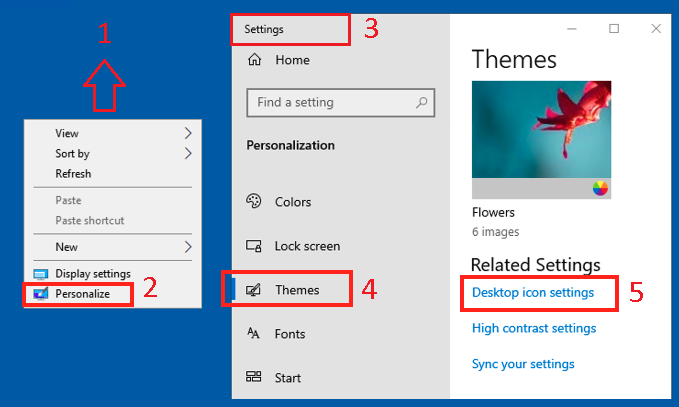
- Right click on the
Desktop - Select
Personalize - A new
Settingswindow should open - On the left side of the window, click on
Themes - On the right side of the window, click on
Desktop icon settings
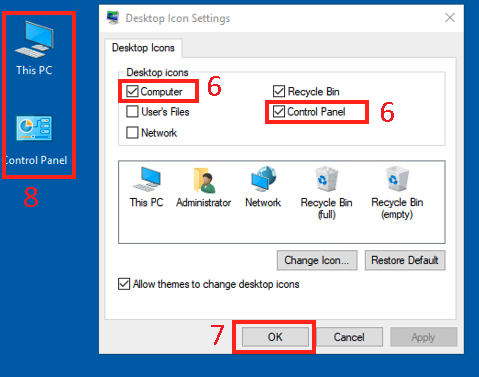
- In the new
Desktop icon settingswindow, checkComputerandControl Panel - Click
OKto confirm - On the
Desktopyou should see 2 new Icons,This PCandControl Panel