Set Power Options to High Performance
Follow the instructions below to improve the performance of the System by changing the Power Options.
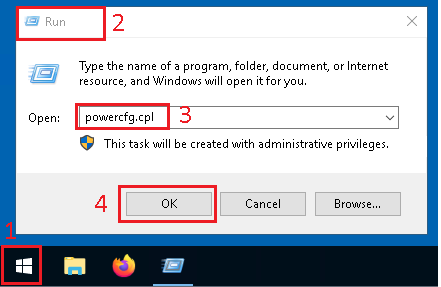
- Use the
WindowsKey+Rkeys to open theRunwindow, or search forRunin theStart Menu - The
Runwindow should open - In the
Openfield, typepowercfg.cpl - Click
OKto confirm
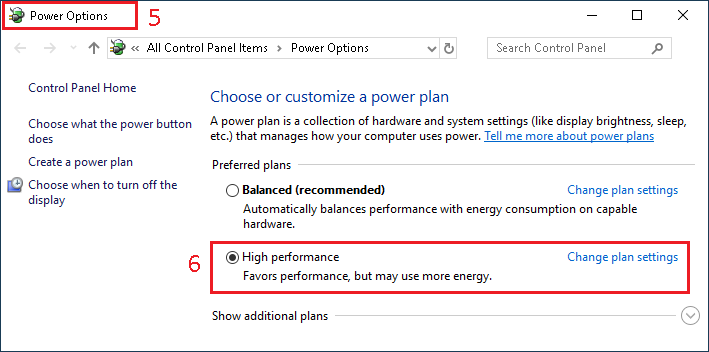
- A new
Power Optionswindow should open - Under
Preferred plans, selectHigh performance