Install new Web Browser
The Internet Explorer browser that is installed by default on the Windows Server is outdated and not working very well, so we need to install another web browser.
Follow the instructions below to install Firefox or Google Chrome.
Install Firefox
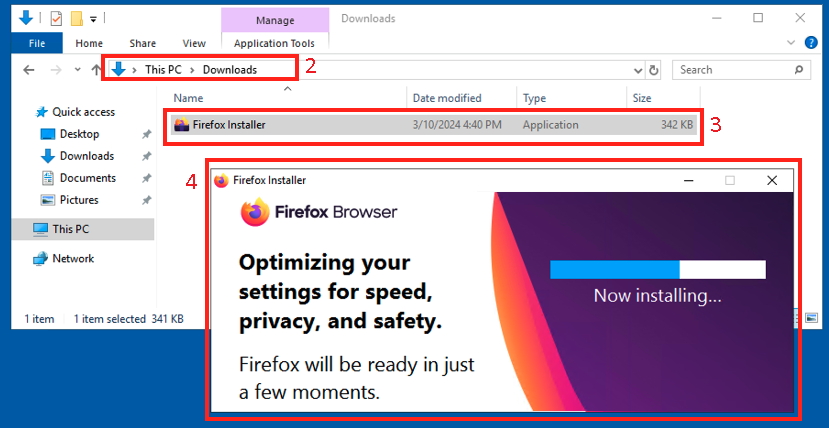
- From your local computer, go on https://getfirefox.com and download the
Firefox Web Installerfile - Copy/paste the
Firefoxinstaller through the Remote Desktop, intoDownloadsfolder - Run the installer
- Wait for the install to finish
Install Google Chrome
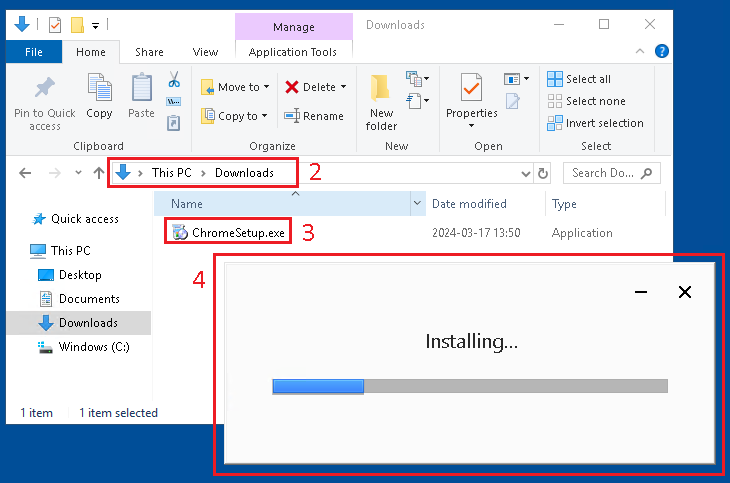
- From your local computer, go on https://www.google.com/chrome and download the
Google Chrome Installerfile - Copy/paste the
Google Chromeinstaller through the Remote Desktop, intoDownloadsfolder - Run the installer
- Wait for the install to finish