ZeroTier (VPN)
You can use ZeroTier to create a Virtual Private Network between your VPS and your desktop computer.
Doing this will allow you to securely connect to your VPS more securely than having to open ports in the Windows Server Firewall so it can be reached over Internet.
You can also use ZeroTier to connect to other Windows computers, for example if you want to share your computer CPU resources in order to run backtests and optimizations in MetaTrader5.
Important reminder:
If you really want to securize your Windows Server, you need to know that many ports are already open by default on the Windows Server, so you might want to review them and close the ones you don't need.
Installation
Obtain the installer file
- Open the ZeroTier Download page and download the latest version of the installer of
ZeroTier. - Save the installer in the
Downloadsfolder.
Install
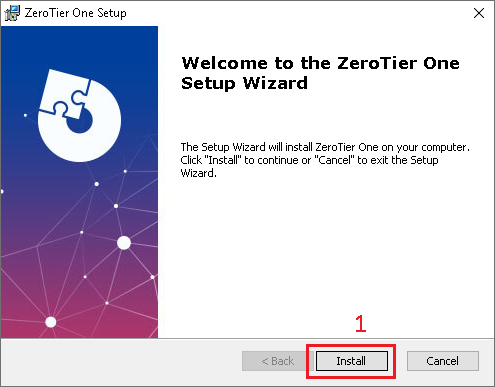
- Open the installer and click on
Install
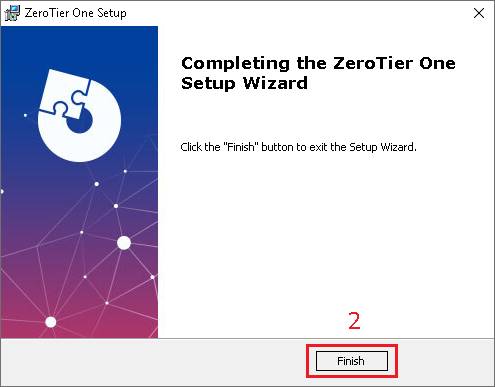
- Once the installation is finished, click on
Finish

- Open the
ZeroTiermenu by clicking on the icon near the clock - Enable
Start UI at Login - And write down your
ZeroTier Node Address
Create an ZeroTier Account and Network
If you want to create a dedicated network for you, you will have to create an account on the ZeroTier website.
You don't need to create an account if you only plan to join someone else's ZeroTier network.
- First, create a new account on
ZeroTierwebsite - Then login on your account
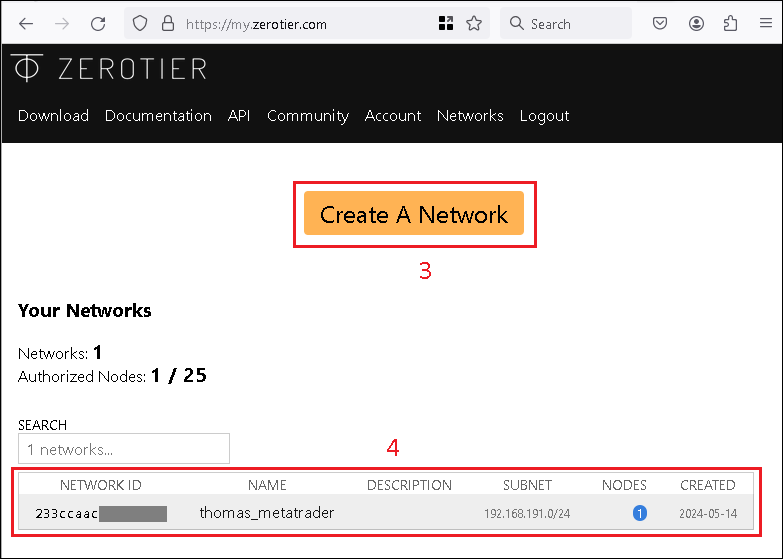
- To create a new network, click
Create A Network - You can also see the list of networks that have already been created
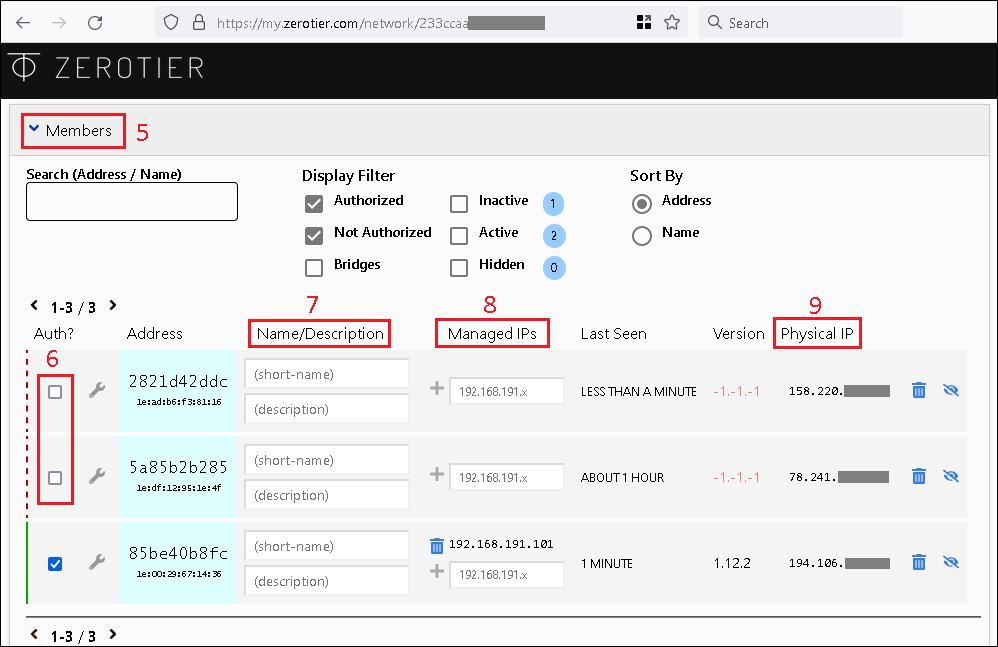
- When you open the network settings, under
Members, you can see the list of computers that have joined the network - If there is any computer waiting to join the network, you can accept them here.
- You can define a nice name for each computers
- You can see or force a specific
ZeroTierNetwork IP Address - You can also see the public IP address of the computer
Join a ZeroTier network
You will have to join the ZeroTier network with your VPS and/or all the computers that you want to connect with each other.

- Open the
ZeroTiermenu using the icon near the clock - Click on
Join New Network ... - Type the
ZeroTier Network IDof the network you want to join - And click on
Join
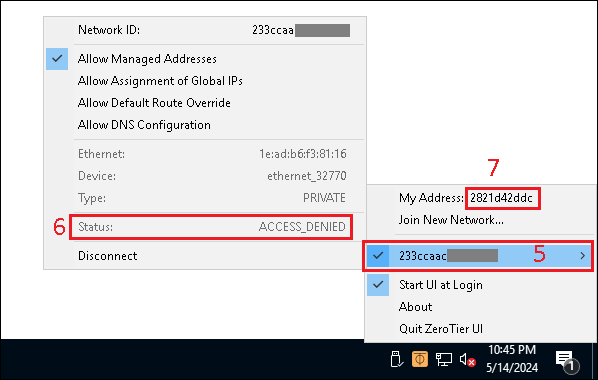
- You should see a new menu with the
ZeroTier Network ID - If you have not been pre-approved before joining, you will not have access to the network just yet
- Contact the netowrk administrator and tell them that you want to join the network, and give them your
ZeroTier Node ID, so they can accept your computer into theZeroTiernetwork. If you are the administrator of thisZeroTiernetwork, go to the network management window on theZeroTierwebsite and authorize this computer.
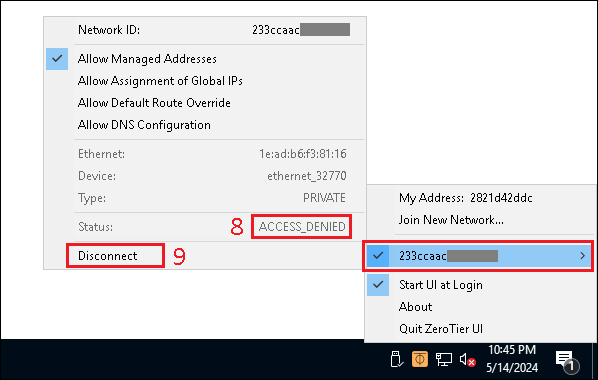
- Once the
ZeroTiernetwork administrator has accepted you in theZeroTiernetwork, if you are still seeingACCESS_DENIED, you will have to disconnect and reconnect your computer - Click on
Disconnectto temporarily disconnect from the network

- Then click on
Reconnect
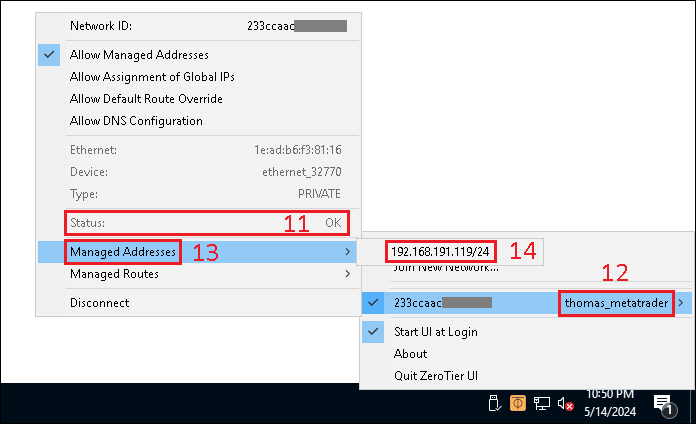
- If everything works correctly, you should now be connected (
Status: OK) - You should also see the
ZeroTiernetwork name - And if you open
Managed Addresses - You should be able to see the
ZeroTierIPv4 Network Address of your computer