Python
Many of the scripts that I use are written in Python. If you plan to use some of those scripts, you will have to install it.
Follow the instructions below to install Python.
Installation
Automatic installation (using the installer script)
- On the Desktop, open the
Trading Filesfolder - Then open the
Installersfolder - Then open the
Pythonfolder - Launch the
Install-Python.cmdscript - Wait for the black window to finish
Manual installation
1. Obtain install files
- Open the Python Download page and download the latest version of the installer of
Python for Windows - Save the installer in the
Trading Filesfolder, in a folder calledExecutables. - Download the registry script Add_PYTHONUNBUFFERED_EnvVar.reg
- Save the registry script in the
Trading Filesfolder, in a folder calledTools.
2. Install
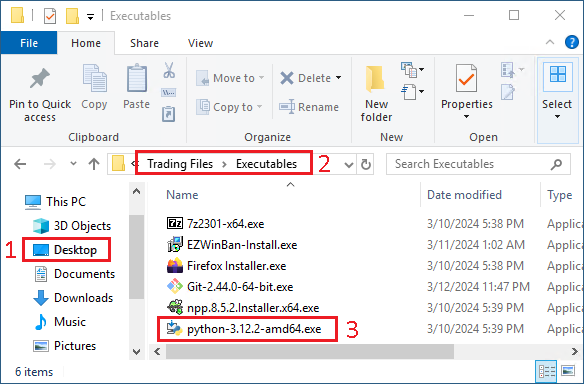
- Go on the
Desktop - Open the folder
Trading Filesand then openExecutables - Launch the
python-3.X.X-amd64.exeinstaller
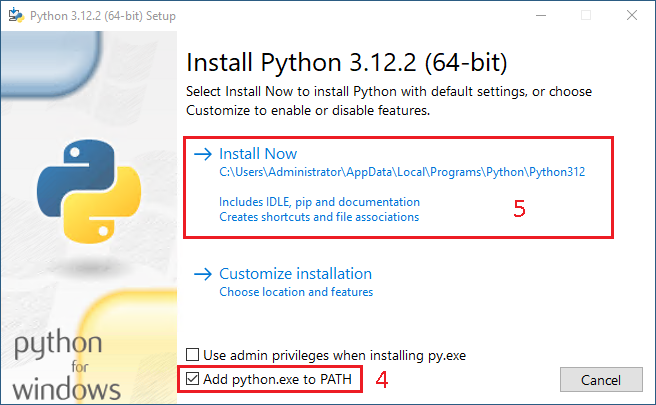
- Check
Add python.exe to PATH - Click on
Install Now
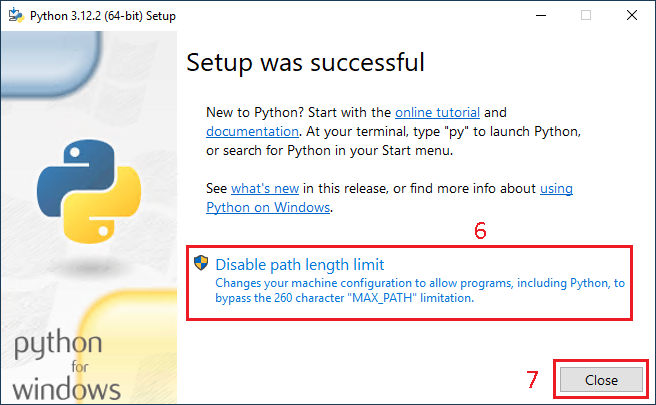
- Click on
Disable path lenght limit - Then click on
Close
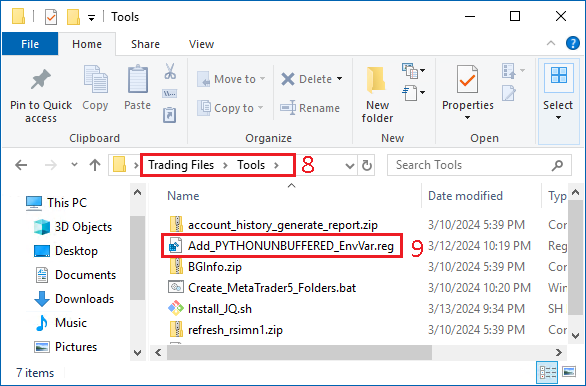
- Go back to the folder
Trading Files, then toTools - Run the
Add_PYTHONUNBUFFERED_EnvVar.regRegistry file
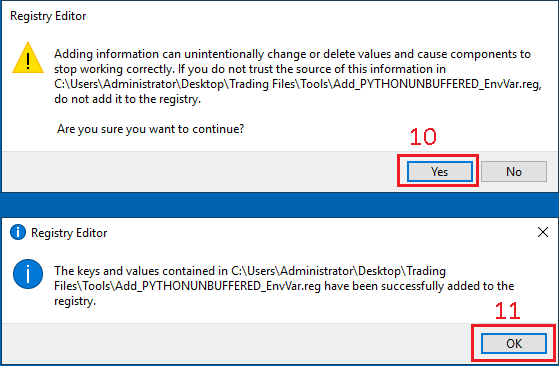
- In the new window, click on
Yes - In the new window, click on
OK