Expert Advisor
An Expert Advisor is a program that you load on a chart and that will automatically place orders, based on a specific trading logic.
Load Expert Advisor on the chart
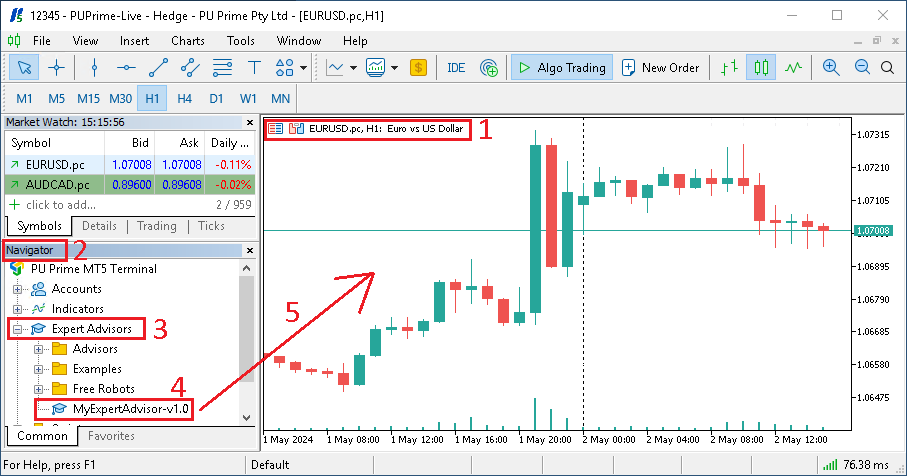
- Make sure that you have open the right symbol chart
- Find the
Navigatorwindow - Expend the
Expert Advisorslist - Select the
Expert Advisorto use - Drag and drop it onto the chart

- In the new window that has open, click on
Inputs - Depending on the
Expert Advisoryou use, you might be able to change some settings - You can also
ImportandExportthe settings using a.inifile - Once you have finished to edit the settings, click on
OK
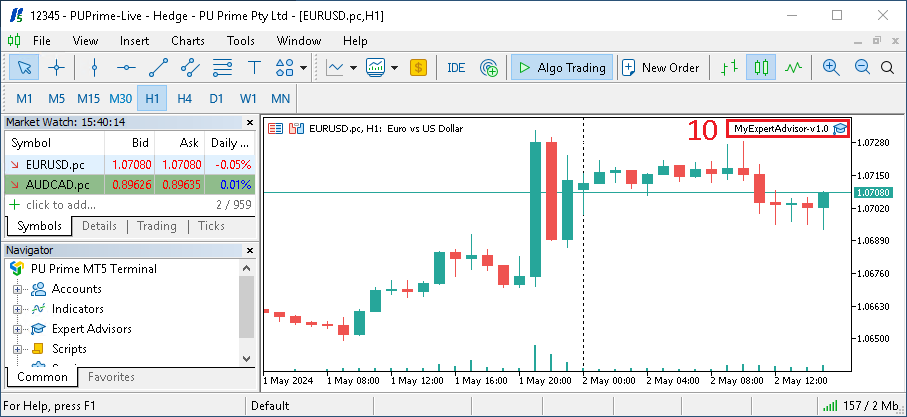
- If the
Expert Advisorwas able to be loaded, you should see its name on the top-right corner.
Edit Expert Advisor settings
If needed, you can edit the Expert Advisor settings.
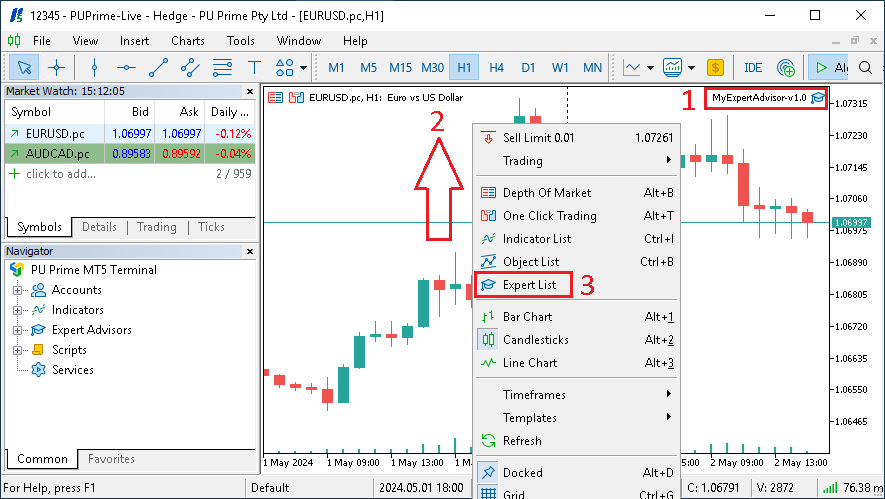
- First, make sure that the
Expert Advisoris loaded on the chart - Then do a
right clickin the chart window - Select
Expert List - In the new window, select the name of the
Expert Advisorand click onProperties

- In the new window that has open, click on
Inputs - Change the settings
- You can also
ImportandExportthe settings using a.inifile - Once you have finished to edit the settings, click on
OK
Verify that Expert Advisor is running
Follow the steps below to verify that the Expert Advisor is running.
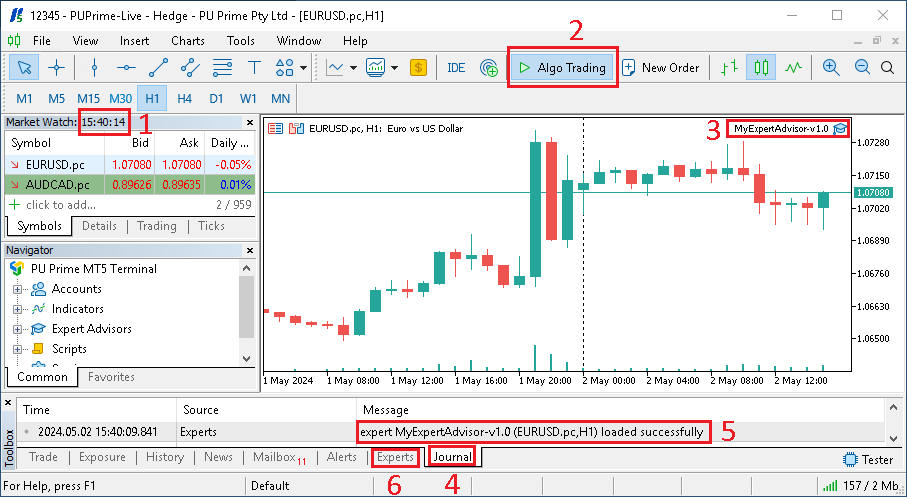
- Verify that the
Market Watchtime is changing, this means that you are connected to the broker. If the time is not changing, it can means that you have a problem with your account, or that the market is currently closed. - Verify that
Algo Tradingis enabled - Verify that the
Expert Advisoris loaded on the chart - Open the
Journaltab - If you have just loaded the
Expert Advisor, you should see a message sayingexpert XXX loaded successfully - You can also open the
Expertstab to see if there are any error messages