Login on your MetaTrader5 Account
The first time you open MetaTrader, you will have to login to your account.
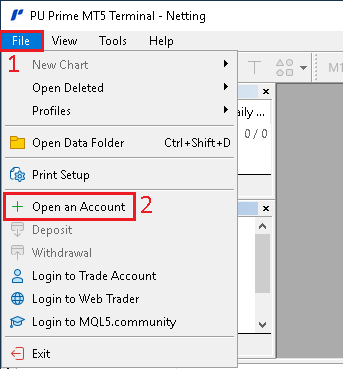
- In
MetaTrader5, click onFile - Then click on
Open an Account

- In the new window, select your broker in the list. If you can't find it, it's probably because you are not using the official
MetaTrader5installer file provided by your broker. You can search for your broker, but it's better if you use the installer file provided by your broker - Once you have found your broker in the list, click on
Next
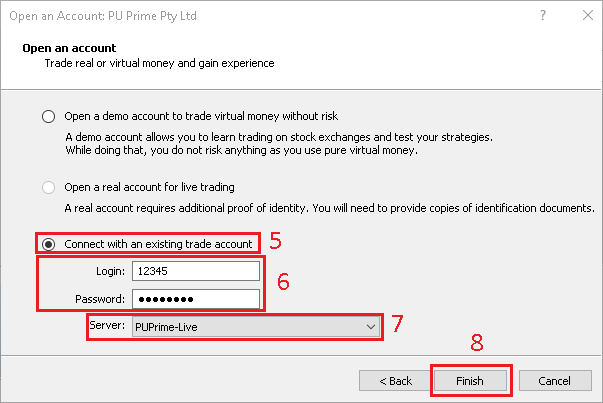
- In the new window, click on
Connect with an existing trade account - Type the
LoginandPasswordof the account you want to login on - Select the
Serverprovided for that account - Click on
Finish