Important folders
There are couple of important folders to be aware of when using MetaTrader and Expert Advisors.
Please review the list of folders below to understand where those folders are.
Different types of folders
1. The 'Trading Files' folders on the Desktop
As suggested earlier in this documentation, the Trading Files folder is a folder we have created on the Desktop.
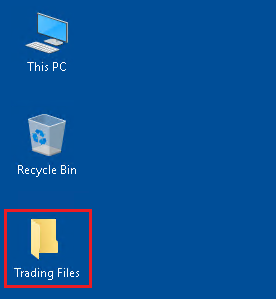
This folder will contains a copy of the files that have been downloaded.
Below is a typical folder structure of the Trading Files folder.
C:\
└── Users
    └── <Your Username>
        └── Desktop
            └── Trading Files
                ├─ Executables  # Will contains the executables for the programs
                ├─ Installers   # Will contains scripts to automatically install programs
                ├─ MQL5         # Parent folder for MetaTrader5 files
                │   ├─ Experts      # Will contains the Expert Advisors files (extension: .ex5)
                │   ├─ Indicators   # Will contains the Indicators files (extension: .ex5)
                │   ├─ Scripts      # Will contains the Scripts files (extension: .ex5)
                │   └─ Profiles
                │       └─ Templates # Will contains Chart Templates files (extension: .tpl)
                ├─ Set files    # Will contains the Setting files for the Expert Advisor (extension: .set)
                └─ Tools        # Will contains some Tools and other small programs
2. The 'MT5' shortcut folders on the Desktop
If you follow the instructions in this documentation about how install MetaTrader correctly, you will find one or more MT5 shortcut folders on the Desktop.
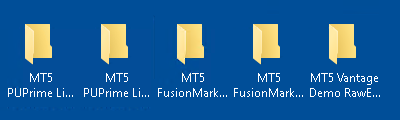
There will be as many shortcut folders as there are MetaTrader installed.
Each MT5 shortcut folder will contains the shortcut to launch MetaTrader for a specific account, but will also contains some basic configuration files that are for that specific account (i.e. setting files).
Below is an example of the content of the MT5 shortcut folder, with the shortcut to launch the program (1) and the setting file to import in the Expert Advisor (2).
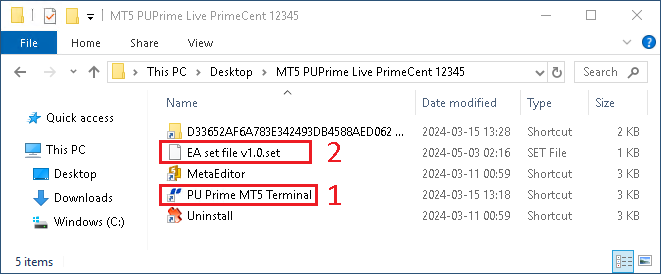
The MT5 shortcut folders are expected to be named: MT5 <Broker> <Live/Demo> <AccountType> <AccountNumber>.
Below is an example of the desktop folders structure for different MetaTrader installations, on different brokers and account types.
C:\
└── Users
    └── <Your Username>
        └── Desktop
            ├── MT5 FusionMarkets Demo Zero 11111
            ├── MT5 FusionMarkets Live Zero 22222
            ├── MT5 PUPrime Live ECN 33333
            ├── MT5 PUPrime Live PrimeCent 12345
            └── MT5 VantageMarkets Demo Raw 55555
3. The MetaTrader5 installation folders in 'C:\Program Files\MetaTrader5'
Since it's possible to install MetaTrader5 many times, we need to ensure that each installation is done in a different folder.
The best way to keep things in order is to create a very specific folder structure in which we will install each MetaTrader5.
If you follow the instructions in this documentation about how to install MetaTrader correctly, I will suggest your to install each separate MetaTrader in a multi-level folder structure under the C:\Program Files\MetaTrader5 folder.
The suggested folder structure is C:\Program Files\MetaTrader5\<Broker>\<LiveOrDemo>\<AccountType>\<AccountNumber>

You will be reminded to use this folder structure when you will be installing MetaTrader5, in the next section of this documentation.
Below is an example of the Program Files MetaTrader5 folder structure:
C:\
└── Program Files
    └── MetaTrader5
        ├── <Broker>
        │   ├── Demo
        │   │   └── <AccountType>
        │   │       └── <AccountNumber>
        │   └── Live
        │       └── <AccountType>
        │           └── <AccountNumber>
        └── <Broker>
            ├── Demo
            │   └── <AccountType>
            │       └── <AccountNumber>
            └── Live
                └── <AccountType>
                    └─ <AccountNumber>
4. The MetaTrader Common Data folder
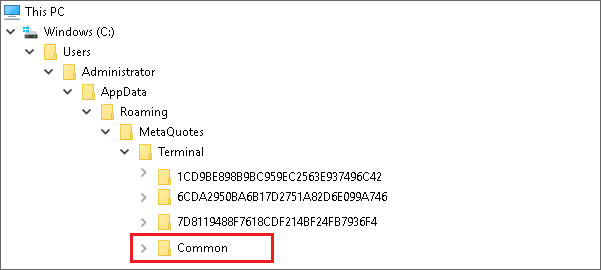
The MetaTrader software is using a Common Data folder that is shared between all installations of MetaTrader.
This means that it would be possible for an Expert Advisor running on one installation of MetaTrader to generate a file in the common folder, and read this file inside another Expert Advisor running on another installation of MetaTrader.
For example, that's how most of the Expert Advisors that are exporting/coping trades between accounts are working, by exporting/reading files that are stored in the Common Data folder.
In my case, I often use scripts that will export informations (i.e. daily trading reports) in the Common Data folder.
5. The MetaTrader User Data folders
Each MetaTrader5 installation is storing it's own User Data in a folder named with a unique 32-long character string.
We will call those folders Unique Identifier, and they are stored in C:\Users\<Username>\AppData\Roaming\MetaQuotes\Terminal.
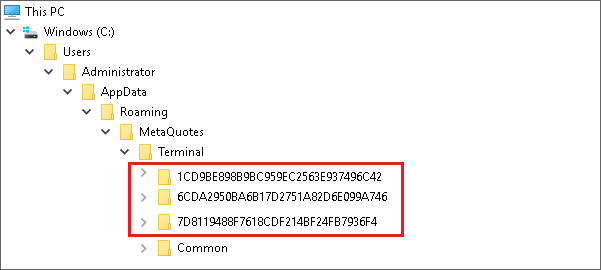
Those Data Folders are very important because that's in those folders that we will place the files that will be used by each specific MetaTrader software we have installed.
If you are not sure which Data Folder is associated with which MetaTrader5 installation, you can verify the content of the origin.txt file.
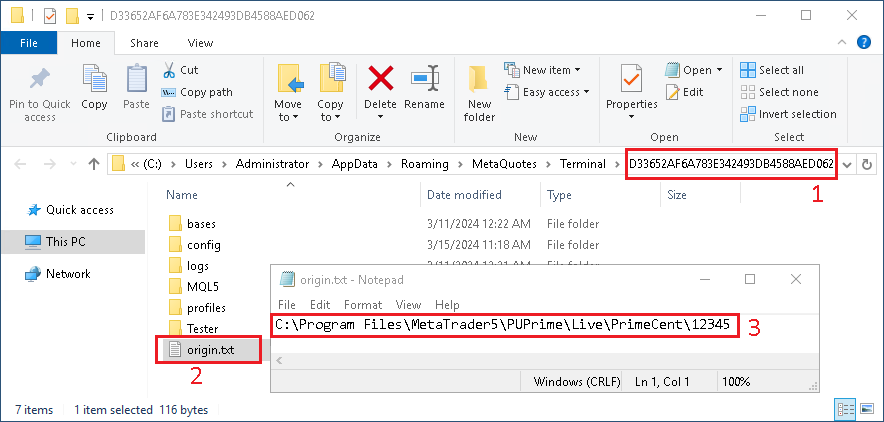
- Inside one of the
Unique Identifierfolder - Open the
origin.txtfile - You will see which
MetaTrader5installation it belongs to