Show the right symbols and load historical data
By default, MetaTrader does not download a lot of historical data of the symbols.
Most Expert Advisors require some historical data to be able to run correctly.
Please follow the steps below to make sure that MetaTrader has downloaded all the necessary historical data for the Expert Advisor.
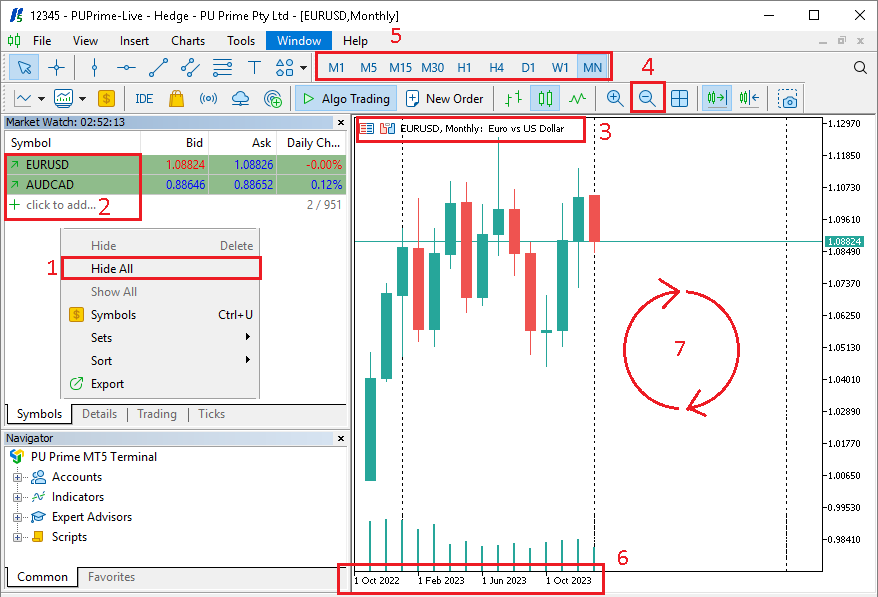
- In the
Market Watch, do right click and selectHide Allto hide all the symbols, or manuall hide the symbols that you don't plan to use - Then in the
+section, add the symbols that you want to run the Expert Advisor on - Open a chart of one of the symbols you plan to use
- Use the
(-)magnifying glass to zoom out at the maximum - Select each timeframe, one by one, from
M1toMN1 - For each timeframe, wait couple of seconds that the historical data is downloaded
- Repeat the steps
3,4,5and6for all the symbols you plan to use