Open MetaTrader Data Folder
From MetaTrader5 File Menu
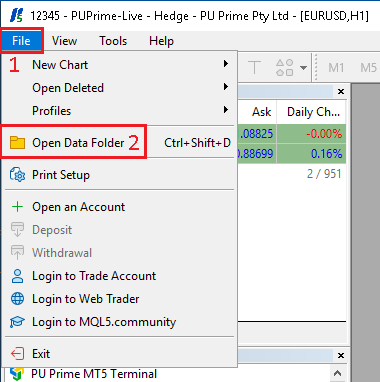
- Open the
Filemenu - Then click on
Open Data Folder
From the Desktop Shortcut folder
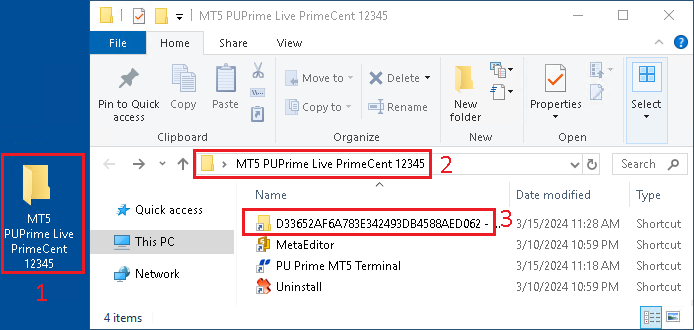
- From the Desktop, if you have added the MetaTrader folder shortcut, open it
- Make sure it's matching the account you want to open
- Find the
Unique Identifierfolder and open it
Important folders in the Data Folder
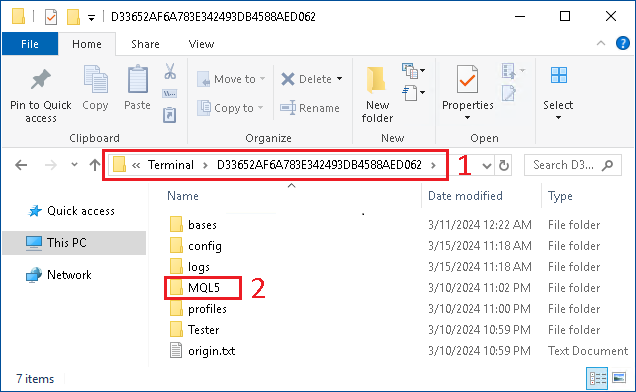
- In the
Unique Identifierfolder - Open the
MQL5folder
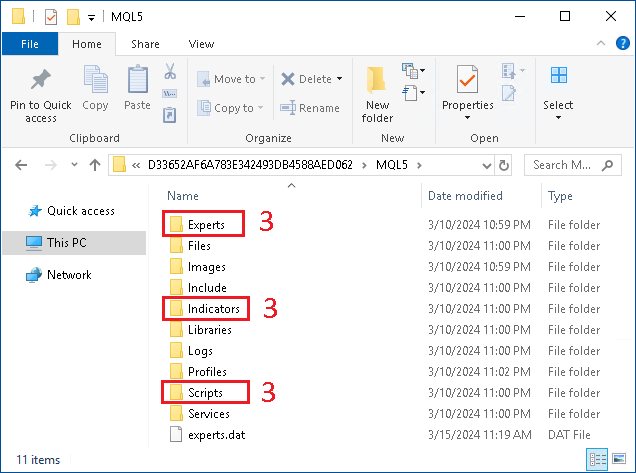
- Locate the
Experts,IndicatorsandScriptsfolder
Those 3 folders are very important, as that's where we will place the Expert Advisors, Indicators and Scripts files.