Load custom Chart Template
By default, the MetaTrader chart colors are green on black, which I don't find very convenient to use.
You can use my Colors on white background template by following the instructions below.
-
Download the my Chart Template by clicking here.
-
Save it as
Default.tplin the folderTrading Files\MQL5\Profiles\Templateson the Desktop.
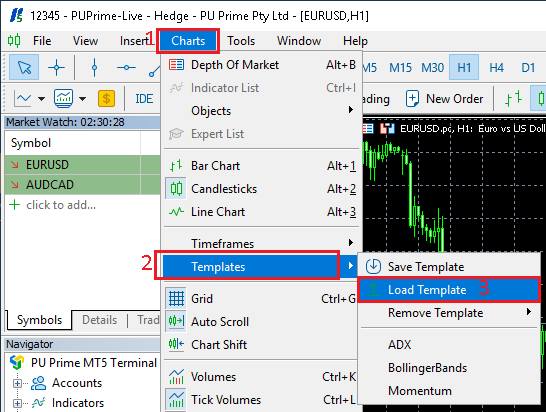
- In
MetaTrader, click on theChartsmenu - Select
Templates - Then select
Load Template
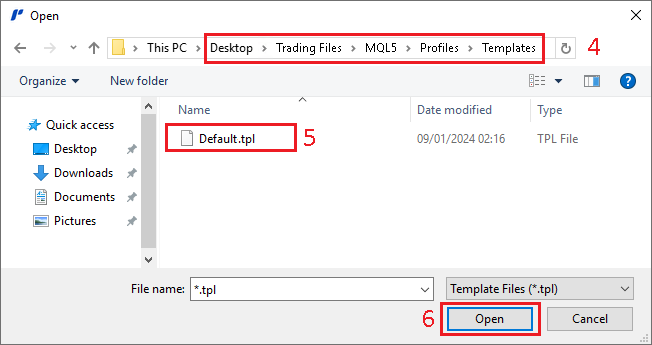
- In the
Openwindow, browse to theDesktop, then toTrading Files\MQL5\Profiles\Templatesfolder - Select the file
Default.tpl - Click on
Opento load this template