Configure MetaTrader5 Terminal

- In
MetaTrader5, click on the Tools menu
- Select
Options

- In the
Server tab
- Uncheck
Enable news
- In the
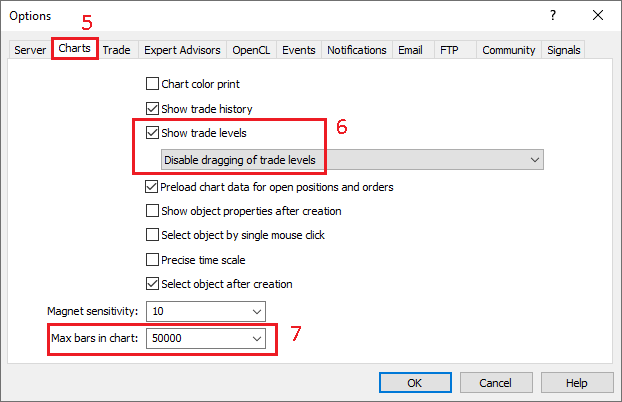
Charts tab
- Check
Show trade levels, and in the dropdown menu select Disable dragging of trade levels
- Set
Max bars in chart to 50000
- In the
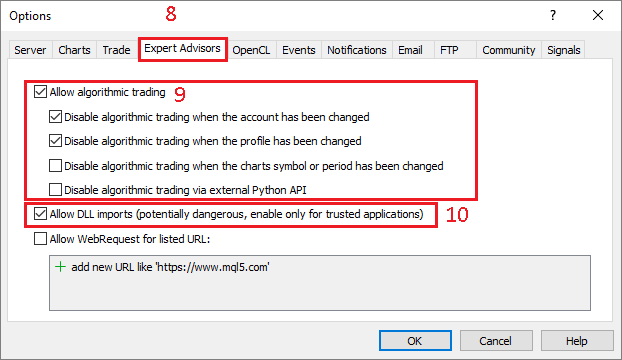
Expert Advisor tab
- Check
Allow algorithmic trading
- You might need to check
Allow DLL imports, depending on the requirements of the Expert Advisor
- In the
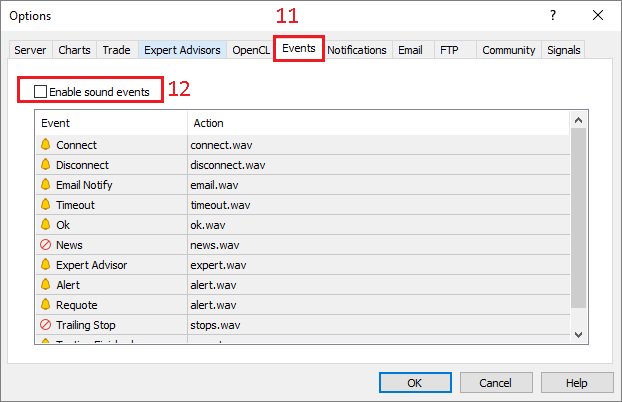
Events tab
- Uncheck
Enable sound events

- In the
Community tab
- Uncheck every services, as we don't need any of those